Mandate Order Controls Hub
PC input basics for city-building, logistics panels, and real-time battle formation drawing.
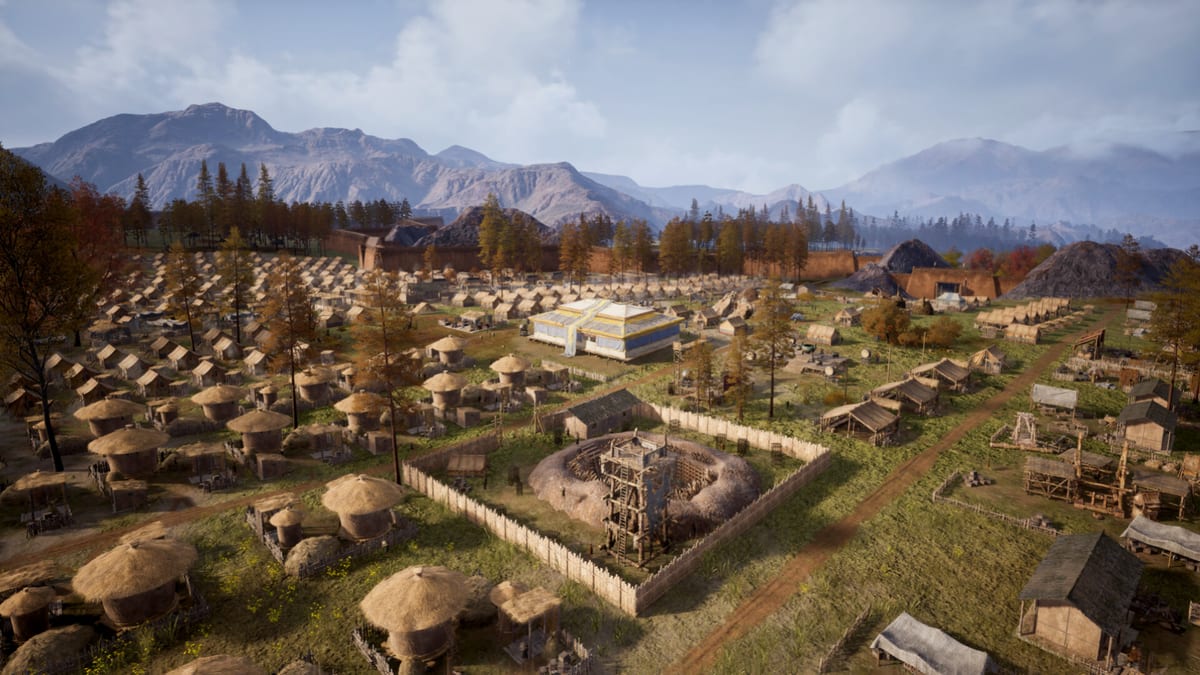
Mandate Order is built for keyboard and mouse on Windows PCs. Steam lists mouse-only support among user-facing categories, reflecting a design where you pan the frontier, place freeform structures, configure warehouses, and draw battle formations primarily with the mouse while the keyboard handles shortcuts, camera modifiers, and text entry. Early Access begins around August 2026; exact key bindings may change between builds, so treat this hub as a system map and verify labels in the in-game settings menu after patches.
Controls sit between review questions and mechanical guides. Once you know inputs, apply them through getting started, opening build order, and formations and line drawing. Poor camera habits cause mis-placed wells; poor line drawing wastes conscripts you raised using how to conscript.
Two play modes, one control vocabulary
Mandate Order alternates settlement management and real-time warfare on the same map without loading a separate tactics scene. That continuity is convenient for immersion but easy to misread when muscle memory from other strategy games kicks in.
During peace, you behave like a city-builder: select structures, drag roads, inspect logistics demand, pause or slow time, and chase courier bottlenecks described in how to manage logistics. During invasions, you behave like an RTS commander: select units, issue movement, and drag formation lines so troops arrive in shaped fronts rather than blobbing at a point.
The PC controls page lists the default bindings players report from previews and demos. The camera and construction page focuses on navigation, placement precision, and road tools that define whether your economy works in practice.
Mouse-only accessibility expectations
Mouse-only support does not mean the keyboard is forbidden; it means critical paths—camera, build placement, unit selection, formation drawing, and common UI—are reachable without requiring simultaneous WASD movement. If you rely on one hand on the mouse, favor edge scrolling or middle-mouse pan patterns documented in camera guides, and bind slow-time or pause where available to reduce rush during sieges.
Steam also lists save at any time and adjustable difficulty, which pair with control learning: save before experimenting with formation drags or deleting freight stations. Lower difficulty while rehearsing walls and siege scenarios so input mistakes do not erase hours of logistics tuning.
Formation drawing: the combat control signature
Preview coverage consistently highlights Quick Line Drawing Formation: select a unit group, then right-click drag toward a destination so soldiers adopt a line shaped by the drag path—wedges, curved fronts, or coordinated multi-group setups. This is the combat control you must practice even if city-building feels comfortable.
Common learner errors include drawing lines across narrow gates, stacking multiple groups on one ramp stair, or issuing a new line while earlier orders still compress through a bottleneck. The combat hub explains tactical outcomes; this controls hub explains the input gesture that produces them.
Construction and logistics controls
Freeform build means you are constantly switching between placement, priority adjustment, and inspection modes. Roads are not cosmetic; courier AI uses them for hauling between warehouses, workshops, and armories. Camera clarity matters when placing a freight station one screen too far from a kiln.
Use build advice together with construction controls: rotate structures where supported, snap carefully near slopes shown in map guides, and zoom out only after confirming local pull ranges—not global inventory—feed each building.
Camera habits that prevent expensive mistakes
Players coming from grid builders often zoom out for aesthetics and misjudge distances. Mandate Order punishes invisible range errors. Practice a repeatable camera loop:
- Zoom to placement height for the active task.
- Pan along the road path peasants will walk.
- Open logistics panels to confirm demand arrows or shortage icons.
- Save before terraforming or deleting a warehouse spine.
Details live in camera and construction.
Controls versus UI feedback during Early Access
Digital Sky lists system feedback and beginner experience among Early Access improvement targets. You may encounter moments where controls work but UI does not explain why conscription is blocked or freight idle. When that happens, cross-check units overview and logistics guides before assuming a broken key bind.
Report unclear tooltips or missing rebind options through official channels; wiki pages will update when public builds stabilize defaults.
Recommended learning order
- Camera and construction for navigation and roads.
- PC controls for battle selection and formation drawing.
- Getting started applying inputs to a first city hour.
- Formations and line drawing once armories stock gear.
- Tools when planners add hotkey cheat sheets or checklists.
Early Access rebinding expectations
Strategy games often ship with partial rebind support early in Early Access. Expect core camera and selection bindings first; edge-case panels may remain fixed until later patches. Screenshot your settings after major updates in case defaults reset.
Controls are the fastest layer to master and the easiest to blame when logistics—not keys—cause failure. Learn inputs here, then win sieges by fixing supply chains in build and combat guides.
Frequently Asked Questions
Quick answers drawn from Early Access systems and common player questions.
Does Mandate Order require a keyboard?
Steam advertises mouse-only support for critical gameplay, but keyboards still help for shortcuts and text. One-hand players should lean on mouse camera patterns in camera and construction.
How do I draw formations in Mandate Order?
Select units, then right-click drag toward a destination so the cursor path shapes the line they form. See PC controls and formations and line drawing.
Can I pause to issue orders?
Steam lists save at any time and adjustable difficulty. Many strategy players pause or slow time during sieges; confirm speed controls in your build after launch.
Will controller support arrive later?
Controller support is not advertised for Early Access launch. Watch patch notes if Digital Sky adds gamepad schemes later.
Where do construction and battle controls differ most?
Construction emphasizes placement, roads, and logistics panels; battle emphasizes unit selection and line drawing. Practice both before hard invasions.